Comparing approved and reported
The core comparison puts the approved release beside the identity the runtime reports loading, one field at a time. The evidence app states the conclusion first, then shows both identities side by side.

Field by field
The comparison covers all six identity fields: the release name, the generation, and the model, configuration, release and receipt digests. Each row is marked Same or Differs.
- Matched: every identity field is equal, and the reported runtime satisfies the policy.
- Reload pending: at least one field differs. In baseline mode the runtime is still serving the release it loaded before.
- Evidence unavailable: there is no loaded report to compare, so nothing is concluded about what is loaded.
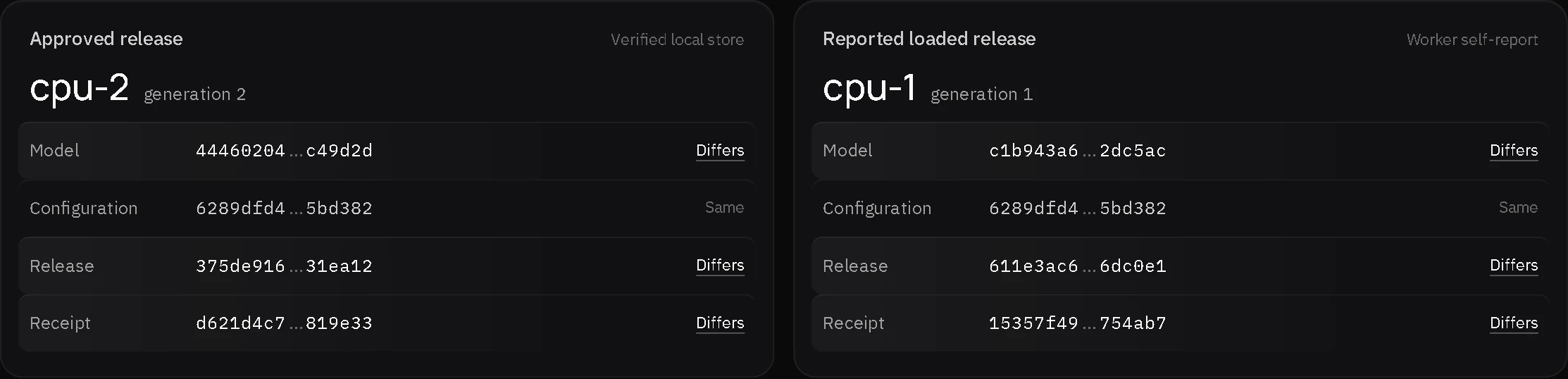
Reading a pending comparison
In observation 2, cpu-2 is approved while the runtime reports cpu-1. The model, release and receipt digests differ. The configuration digest is the same, because both releases share one configuration.
Pending is a deliberate baseline state in this run, not a proven security incident. It shows the gap between an approval and what is loaded, which is the gap Vraelis Contour exists to make visible.
After the explicit reload
In observation 3 the runtime reports cpu-2, and every field matches.
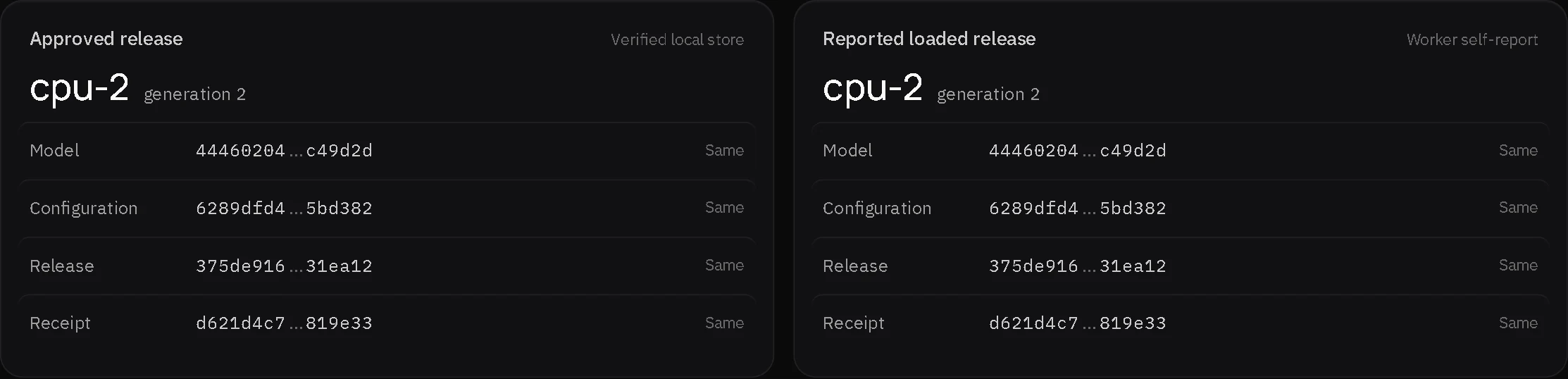
Where each side comes from
| Side | Source | Label in the app |
|---|---|---|
| Approved release | The experiment's local release store, whose signatures the experiment checks | Verified local store (the experiment's own signature check, not an outside one) |
| Reported loaded release | What the managed ONNX session reports about itself | Worker self-report |
| Either side, from an opened file | A trace someone opened in the app | Imported, not verified |
The reported side is what the worker says it loaded. The host and worker are trusted in the experiment, so this is not independent attestation.
Last updated: October 10, 2026