Walkthrough: one release, four observations
One captured run, 10 October 2026, in the order it happened. Each step shows what the evidence app displays and what a reviewer can conclude from it.
Nothing to install: this follows the recorded trace. If a word is new, Key concepts defines it in one sentence.
1. The approved release is loaded
cpu-1 is approved and the runtime reports cpu-1. Every identity field matches, and the reported runtime satisfies the policy. Status matched.
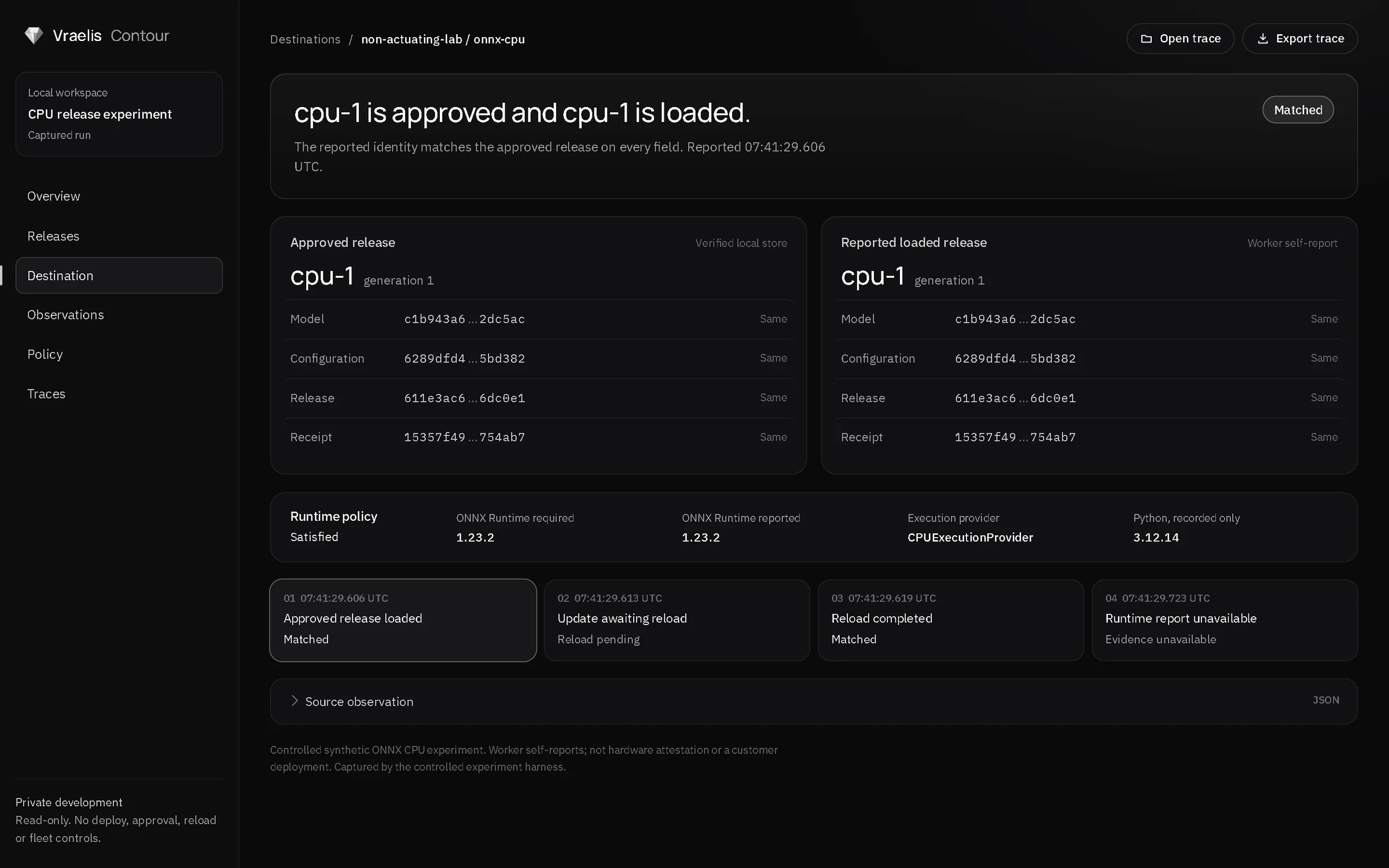
What you can conclude: the release the worker says it is running is the one that was approved. What you cannot: that the host is honest, or anything about how the model behaves.
2. A new release is approved but not yet loaded
cpu-2 is approved. The runtime is in baseline mode, so it keeps serving cpu-1 until an explicit reload. Status pending, shown as Reload pending.
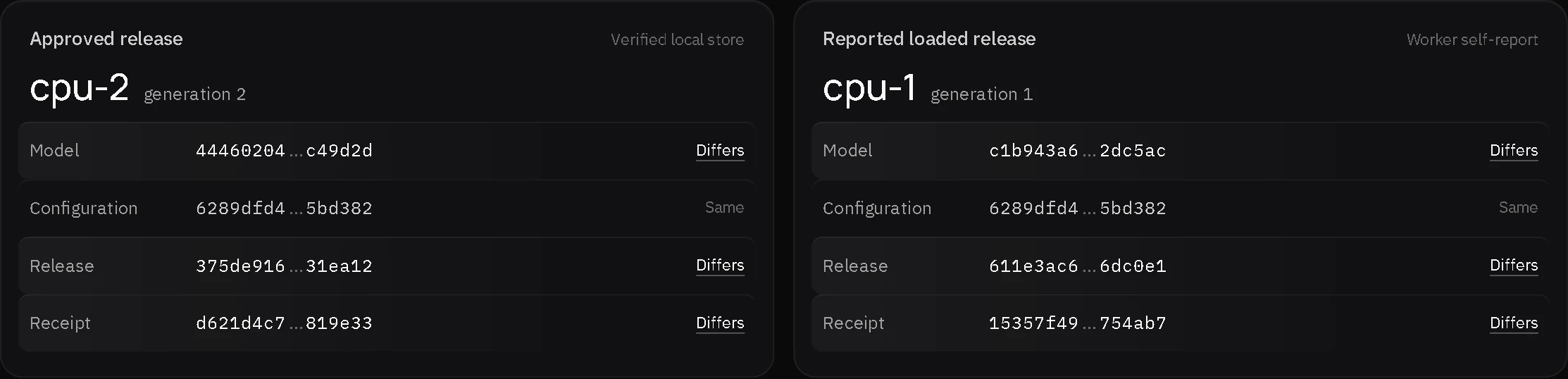
What you can conclude: the approval and the running release differ, and the record says exactly which fields differ. This is an approved session's baseline, not an unauthorized deployment.
3. The reload completes
After the explicit reload the runtime reports cpu-2, and every field matches the approval. Status matched again.
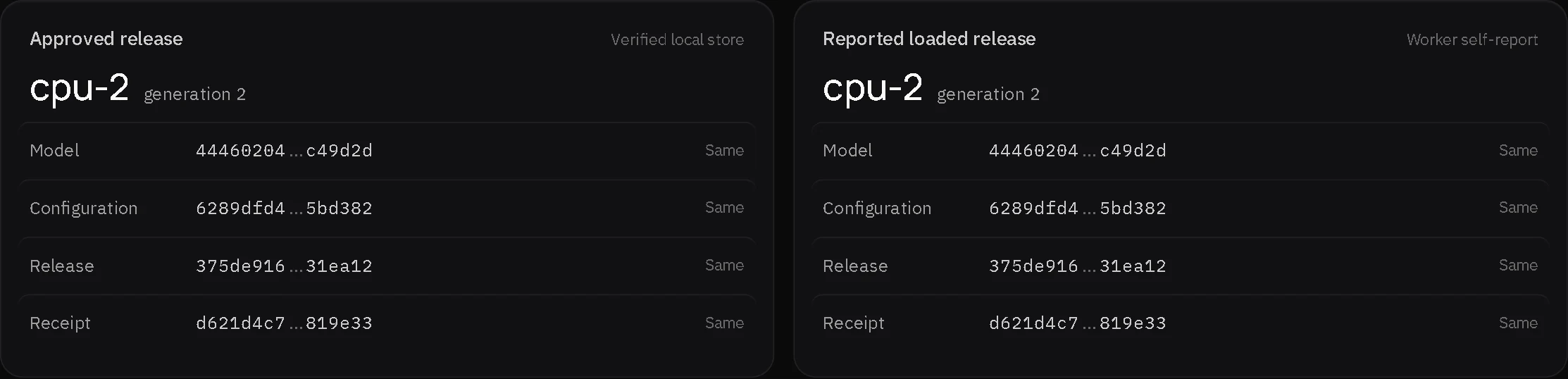
4. The runtime stops reporting
The worker stops. cpu-2 stays approved, and nothing reports what is loaded. Status unknown, reason RUNTIME_UNAVAILABLE, shown as Evidence unavailable.
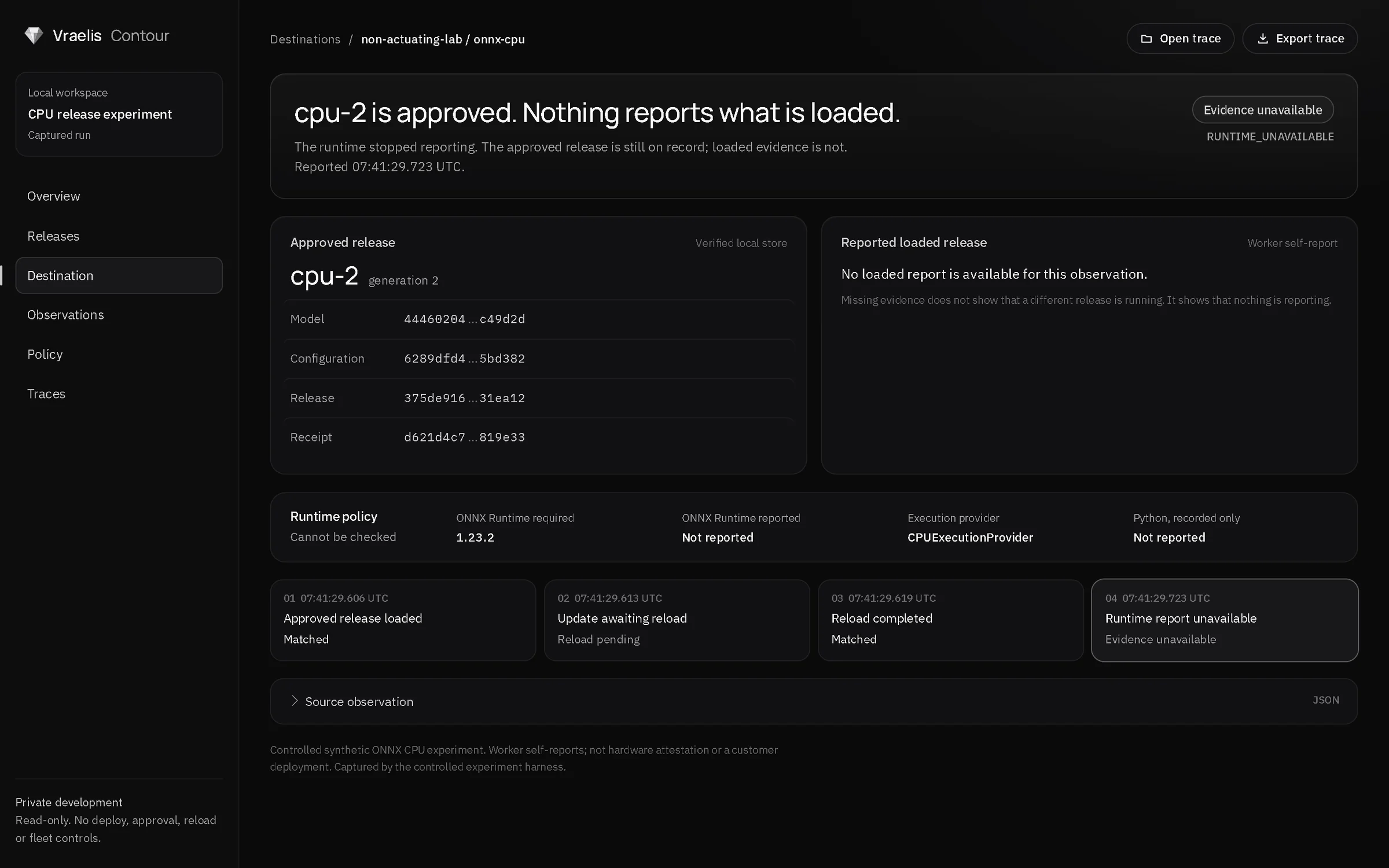
What you can conclude: the evidence has a gap at this point, and the record says so. Missing evidence is not a different release; it is no evidence.
What you have seen
- Approved and loaded are recorded separately, so a difference is visible field by field.
- A pending reload is recorded as a state, not hidden or treated as a failure.
- A gap in reporting is recorded as unavailable evidence with a reason code.
Last updated: October 12, 2026